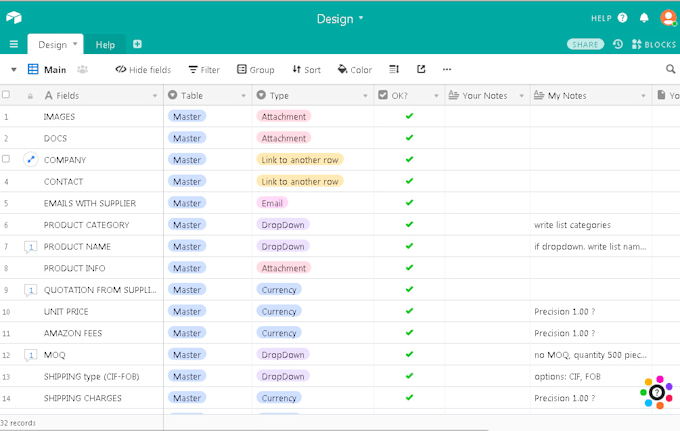

About:
Creating your database will be easy, understand and enjoyable
I will teach how to use the database
How it works
1. Go to my database Design
2. Enter list of fields your database
3. Select type of fields
4. We discuss how many tables should be
5. I create your database with your fields and tables
6. You write which you want to create View
7. I create Views
8. I give you a database
Example1: database JobTracking
Four tables Timesheet, Orders, Teams, Clients with main fields.
Order has several parts/jobs, Order will be executed by several Teams.
You will see the TotalTime, TotalTask for each Order and TotalTime, TotalTask for each Team.
Example2: Video Tracking
Editor might spend 1 hour today, 1 hour tomorrow and 2 hours a few days later and then another editor might complete the last steps
The result will be the total time for each video and the editor
I will give a link for the test.
Reviews
:
Seller was very fast and efficient! Great communication.
:Very responsive and addressed feedback and questions promptly.
:Worked fast and made corrections quickly
:It was nice to work. Clear task.
:


No comments:
Post a Comment